
How to Use Viral Mailers – a New CLB Report
Below are the LeadsLeap share codes for the Capture page and Landing page for the CLB Viral Mailer Report.
Share Codes:
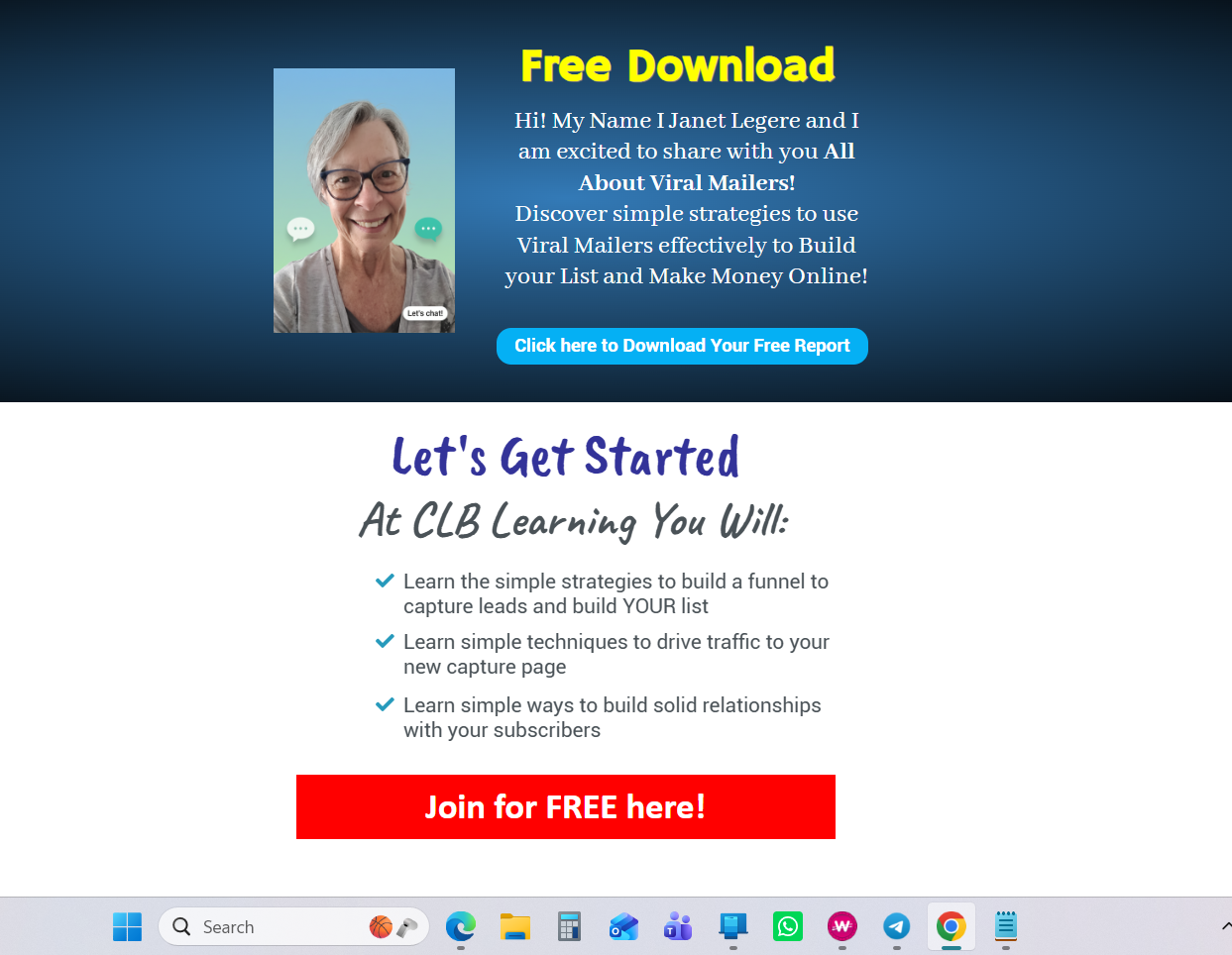
Landing page: page-atFJTM
You will first download your CLB All About Viral Mailers report to your computer from the downloads section of CLB Learning. Then, upload the report to the Leads Leap PDF Manager. This creates the downloadable link for your visitors. You will add tis link to the first button on the page (Click here to download your free report).
At the bottom of the page you will change the link and add your CLB ID number.
You will edit the picture and the name.
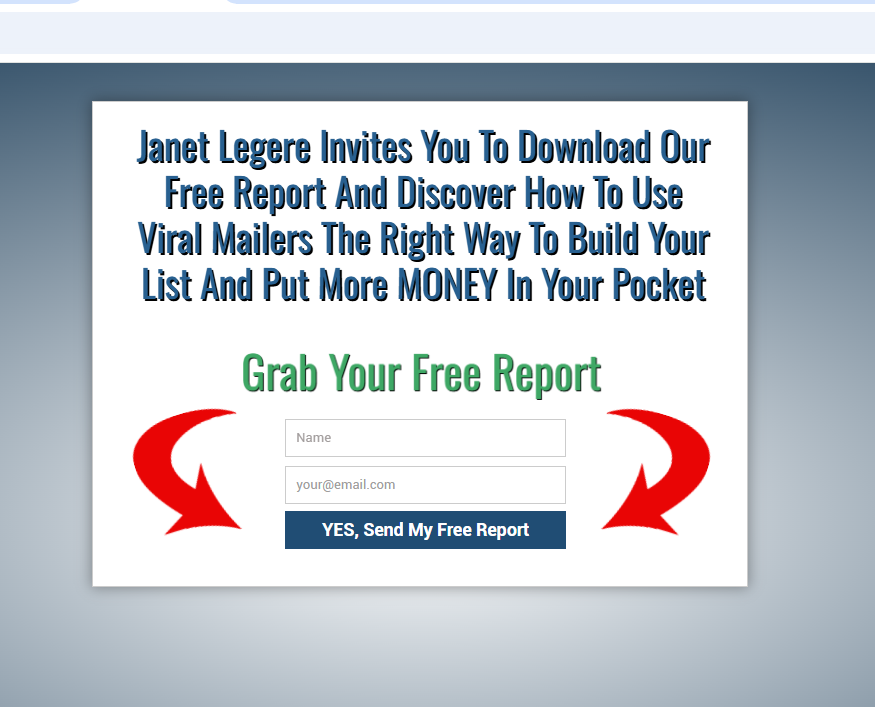
Capture page: page-atFJQM
You will edit the name on the page and attach it to your CLB Leads List. As well, you will have it redirect to the landing page you just created above. Select your current CLB Leads List for the Auto-responder setup. You can add the email below as another follow up as shown in the training video
Remember to save your work and test your page.
Follow Up Email
You can add the following Follow Up email to your email series
Subject: NEW REPORT: All about Viral Mailers
Body:
Hello ~firstname~,
Janet Legere here with exciting news of a new report on How to Use Viral Mailers effectively to build your list and make money online.
Download your copy here <—- INSERT YOUR REPORT PDF LINK HERE
It’s everything you need to get started.
I’m anxious to hear what you think, I hope it helps.
Talk soon,
JUN
2026
About the Author:
Janet Legere is a wife, mother, grandmother, sister, aunt, and friend to many. She has a passion for life and a mission to empower others to be their very best. Janet has been a full-time Internet Marketer and Coach for 20 years, sharing her skills and gifts in the global arena. She infuses her strategies for joy and happiness into all of her training making every step a simple, accessible, and positive learning experience. Janet is also the author of the book 'Get Stuck on Happy' 30 Way to Change Your Thoughts and Live a Happier Life!